Sphinx AC Coombe 8 - 2026
Sunday 22nd November
Entries close 23:59 on Thursday 19th November

A tough, multi-terrain course over 8 miles with a mixture of wooded trails and undulating farm land at the historic site of Coombe Abbey on the outskirts of Coventry. There is also the option of an 8km (5mile) route.
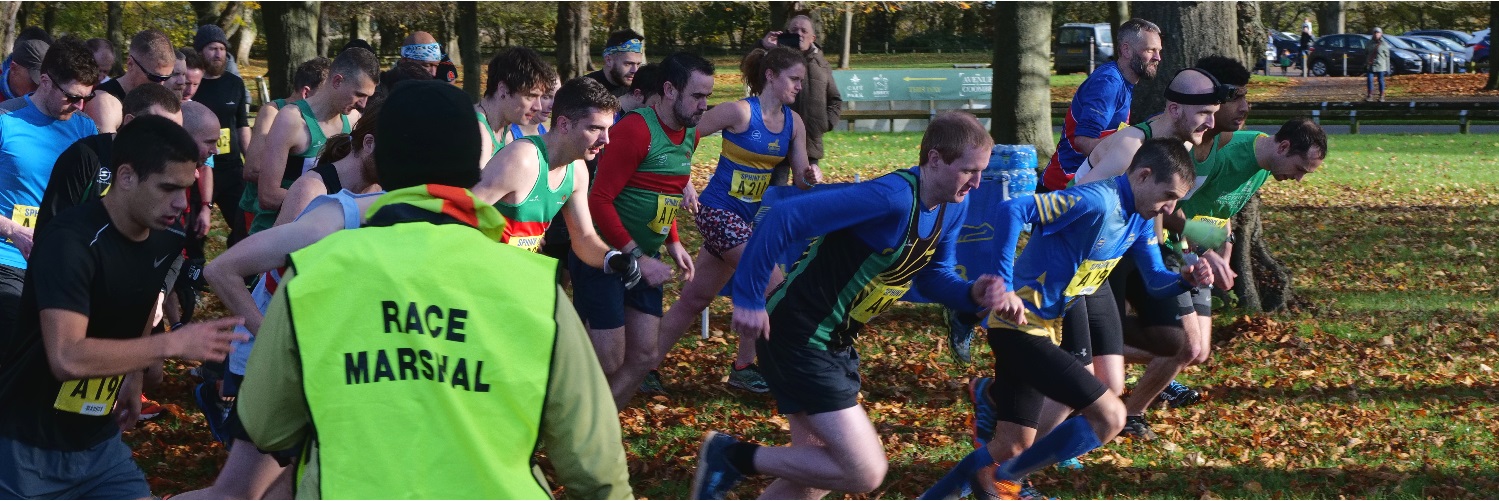
Both distances start with a small loop in the "sheep field" complete with a dip in and out of the WWII bomb craters!
After a run down the main drive towards the Abbey, over the mini hurdles, both routes head over the bridges and into the woods for a clockwise lap of the main site, not forgetting a dip through the river before drying out around the large central field counter clockwise, dropping down under the Go Ape adventure area back to the wooden bridge.
There is a water station just before the 8km distance heads back over the bridges and those doing 8 miles head around the central loop once more, including the woods, the river and the field.
After visiting the water station again the two routes rejoin and both head back the way you came, up towards the visitor centre, over the mini hurdles, past the start for a short out and back before returning to the finish for a cup of hot chocolate.
All runners will receive a race memento and hot chocolate at the finish
Prizes are awarded for first 3 finishers plus age category winners (8 mile race only)
Prices locked in at the same as last year:
8 mile - £27 (£25 EA affiliated runners)
5 mile - £22 (£20 EA affiliated runners)
Prices will rise on the 22nd October for late entries.
No entries available after 19th November
Race HQ is outside the main visitor centre at Coombe
Registration from 07:45 - 08:50
Race Briefing 08:50
Start 09:00
A mobile medical crew will be on standby throughout the event.
Although we have a no refund policy if for any reason you are unable to participate you can transfer your entry to another runner.
Alternatively you may defer your race entry to another of our races by way of receiving a credit (minus processing fees) on your RaceSignup account to use against one of our future events. If you do need to defer, please email race.secretary@sphinx.org.uk.
If the event fills up and we open a waiting list you may also request us to facilitate a transfer for you. In this case we will credit the entry fee minus fees back to your RaceSignup account on successful completion of the transfer.
Please note: All transfers and deferrals MUST be completed before the closing date for entries to the event
How to transfer your entry to someone else:
- From this page, login to Racesignup (by tapping Manage my entry or Enter now)
- Scroll down to the "Your Entries" panel where you will see a green Transfer button against your name. Tap that Transfer button.
- Provide the email address of the person who is taking your place
- They will get an email with instructions on how to take up their place. You will get a copy of that email.
When someone transfers their entry to you, you will receive an email with a transfer code:
- From this page, login to Racesignup (by tapping Manage my entry or Enter now)
- If you don't yet have a Racesignup account you will be prompted to create one.
- Above the Sign Up panel you will see a green button: "I have a transfer code". Tap that button and enter your code.
- If your code is validated, tap on your name in the Sign Up panel and complete the entry form.
- You will get an email confirming that your entry has been made.
